| Jean LeLoup & Bob Ponterio
SUNY Cortland © 2015 |
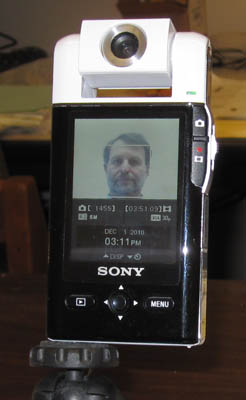
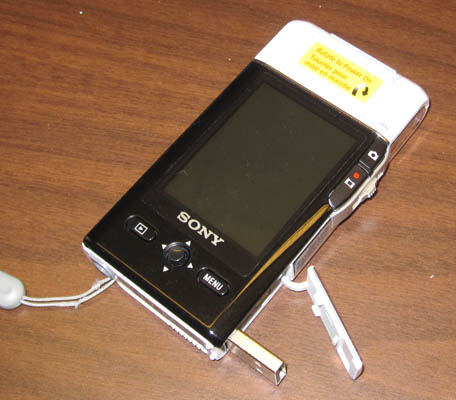
In addition to using a telephone, a webcam, a digital still camera, or a camcorder to capture video, we can create video shots easily with a dedicated digital video camera such as the SONY Bloggie.
An advantage of the Bloggie for making recordings of yourself or having students record themselves is that the camera can point in either direction. This makes it esay to adjust the subject in the video frame. In addition, the Bloggie can be set for a variety of frame sizes (640x480,1280x720, 1920x1080).
Or the the Flip.
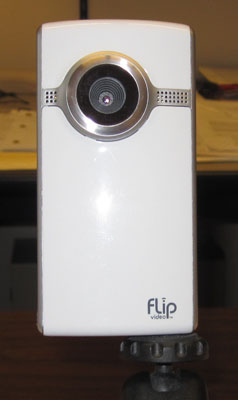
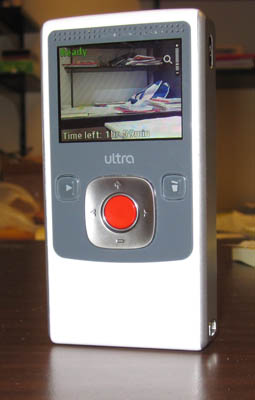
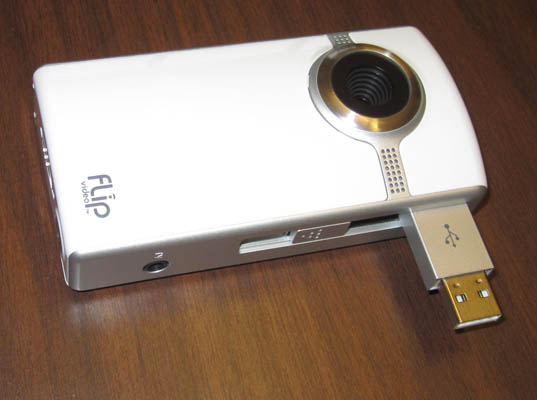
The Flip is very simple to use, and the video quality seems to be a bit better than the SONY (see below), but with simplicity come fewer options. Both produce good sound for educational uses. However, you shouldn't expect professional quality video from either.
These cameras are both small, lightweight, and easy to use. Just point and press the red button. Their built-in USP connectors mean that no additional cables are needed, so there's nothing else to carry. Both save their files in MP4 format, but you can use free software such as Any Video Converter or Freemake Video Converter to switch to another format if needed.
For most people though, a cell phone or webcam are the most accessible tools.
The video can be edited and compressed for Internet use through other free software such as Windows Live Movie Maker or Any Video Converter. These examples are converted to MP4 format.
| Bloggie | Flip | webcam |
The two videos shown on the left were recorded at 640x480 resolution, then edited and compressed down to 320x240 using Windows Live Movie Maker. The webcam video was recorded using the webcam's software and converted with Any Video Converter.
Since they are in MP4 format, the code for embedding the HTML5 Video object is:
<video width="320" height="285" controls>
<source src="dig-vid-01.mp4" type="video/mp4">
Your browser does not support the video tag.
</video>
Of course, you would change the source video file name: src="dig-vid-01.mp4" to use your own video.
For other formats or to add additional features, it is easy to search online for the code.