Jean LeLoup & Bob Ponterio
SUNY Cortland
© 2011, 17 |
Assignment 3
1. Continue working through the HTML introduction and play around with the
practice the steps in the tutorial. Play around with web page creation
and format, especially tables. Improve your table of contents page.
Work on Project 1
Create a folder for project-1. Put the project-1 folder inside of the folder where you have your Table of Contents page. Call the folder "proj1".
The first page in every project folder should always have the file name
index.html.
Come as close as you can to finishing your first web page
project. Be sure to save your work frequently. Note that you
do not yet know how to do a number of the things that will be needed to
complete the project. We have plenty of time to work on this. However,
the more ideas and content you can pull together now, the easier the
rest will be.
Remember to bring photos to class in digital
format. You might prefer to use a digital camera for photos you need. You should have your USB flash drive for saving your
work or use your Google Docs or other space online. Also bring any sound that you want to include
in your project: your voice or a tape or CD or mp3. Do NOT
bring in LPs!
Remember them ? 
We'll be working with images and sounds as well as putting pages online in the next two classes.
3. Online discussion
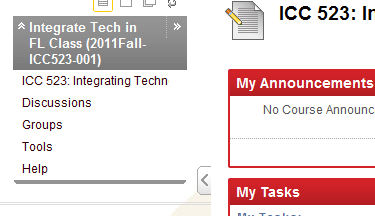 |
Log onto your Blackboard / eLearning space for ICC 523. Look under the DISCUSSIONS tab in the left hand column, and follow instructions to contribute to the FLTEACH: On-line professional development discussion (You can open the article in PDF format using Adobe Acrobat Reader or you can right-click on the link and save a copy). Note that this assignment includes your answers to 5 questions and at least 2 comments on the responses of others; follow directions.
You can access eLearning through myRedDragon.
|
3. Google Voice
Why would you want students to be able to respond orally to questions outside of the classroom? Think about that for a minute. Then leave your answer on Google Voice.
A. Call this Google Voice number: (607) 301-0834. Leave your message (your audio homework) answering the question.
Begin your answer with: "Bonjour monsieur. Je m'appelle Snow White." (If you prefer, you can use Spanish or English. Also, if your name is not Snow White, please use your real name. )
When you are done with your message, just hang up.
B. If you can, use your phone to record a short message and share (email to ponterior@cortland.edu) it to my email address.
4. Lingt
This site lets you create your own online activities where text, audio & video cues can be used to get oral or written responses from students. You can have 6 assignments for free. Go here to answer two questions about what you want for breakfast in your best French.
Listen to the question. Click once on the ANSWER button to speak, then click a second time when you are done speaking. Don't forget to hit the SUBMIT button to submit your answer.
Or if you don't speak French, use English.... https://www.lingt.com/ponterio/
Return
to Syllabus