Find the PowerPoint icon on the Start menu or desktop and launch the program. (Although our examples use PowerPoint 2007, later versions are not very different.) |
 |
| Jean LeLoup & Bob Ponterio
SUNY Cortland © 2017 |
PowerPoint is very versatile and interesting presentation software that is widely available. You can create very sophisticated projects to make presentations on computer screens, overhead projectors, slides, etc. As you work with this software, think about how it serves the needs of communication. How interactive is it? How you could incorporate this tool into your classroom?
One caveat; PowerPoint, like most presentation software, was designed for business presentations, not for education. Beware of the tendency to make very linear presentations in which students remain passive and do not manipulate information. Consider what the computer can really add to the lesson; do not use technology to do what can be better done without the technology. Do the typical default slide layouts provided really meet the needs of Second Language pedagogy? IOW Don't lose track of your goal!
Find the PowerPoint icon on the Start menu or desktop and launch the program. (Although our examples use PowerPoint 2007, later versions are not very different.) |
|
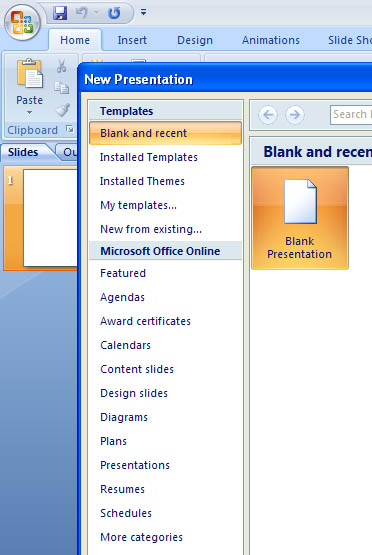 |
When you create a new PowerPoint presentation, you will get a dialog box that will
ask you if you wish to use the format of a blank presentation, one of your own previous presentations, various installed presentation template models, or a number of available models online:
Choosing from these Templates skips this preliminary planning step and gets you immediately into choices of presentation design and mode. Select a Template allows you to begin with a complete presentation design including background for your slides (or start from scratch). You can preview all of these before choosing. |
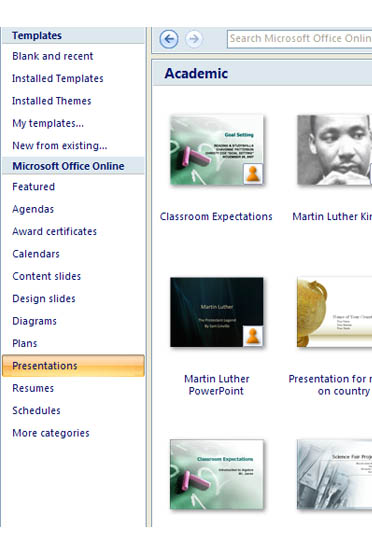
If you choose to begin with a Blank presentation, you can select your own layout design for your presentation and for individual slides. You can preview all of these before choosing them. Choosing from these slide layouts can make it easy to add content to your slides. You can also modify these layouts after you insert them. |
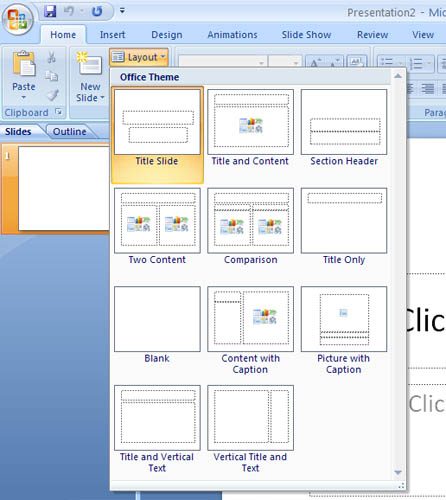 |
 |
| For example, the Home menu offers many options that you will want to investigate, such as inserting slides, layouts, and shapes, editing or aligning text, controlling fonts, etc. |
 |
| The Insert menu helps you insert tables, pictures, clip art, charts, links, objects of all sorts including movies, sounds, etc. |
Using PowerPoint for ESL Teaching
PowerPoint Presentations for Spanish Class!!
And some French PowerPoints by Sandra Howard:
http://madame300.wikispaces.com/
Adding Sound to PowerPoint
Playing MP3 Files during a slide show
PowerPoint 2007 Tutorial 3.2. Adding Sound and Video (Youtube)
Microsoft PowerPoint 2016 - Full Tutorial for Beginners [ 14 MINUTES! ]*
PowerPoint Tutorial: Learn PowerPoint in 30 Minutes - VideoLearn How to Use PowerPoint 2007 (basics for beginners - for 2007 but mostly works for later versions as well)
echosvoice tutorials (lots of different tutorials)
PowerPoint was originally made for boring, page by page, business presentations. Be careful to avoid the negative aspects of PowerPoint.
Edward Tufts, author of The Cognitive Style of PowerPoint. One of my favorite pieces by him is:
PowerPoint Is Evil - http://www.wired.com/wired/archive/11.09/ppt2.html